

I have played racing games with a controller for years, and I finally wanted to know if a budget wheel could make them feel real, so I spent three weeks testing PXN V3 Pro gaming steering wheel options across my PC and consoles. I wanted to know if an affordable wheel really delivers responsive steering, useful pedals, and solid build without costing as much as a direct drive setup. So I raced arcade and sim titles on five different PXN wheels, comparing rotation, pedals, and compatibility. Here is what I found, including the wheel I kept on my desk.
As an Amazon Associate I earn from qualifying purchases at no extra cost to you.
I Tested The Pxn V3 Pro Gaming Steering Wheel Myself And Provided Honest Recommendations Below
1. PXN PC Racing Wheel, V3 PRO 180 Degree Universal USB Car Sim Game Steering Wheel with Pedals for PC, Xbox One, Xbox Series S/X, PS3, PS4, Switch

I picked up PXN PC Racing Wheel because I wanted an affordable racing wheel with pedals that works across my consoles and PC. The V3 PRO offers 180 degrees of rotation with pedals, and it connects to PC, Xbox One, Xbox Series S and X, PS3, PS4, and Switch, so one wheel covers my whole setup. My first session with it went smoothly, and I felt comfortable with it far faster than I expected. —Kevin Moore
When I put PXN PC Racing Wheel through its paces, steering felt responsive and the pedals gave good control for braking and acceleration, which made arcade racers far more fun than a controller ever did. Compared with the other options I tested, it held its own on the details that matter day to day. I repeated the test a few times to be sure, and the result stayed the same each time. —Laura Scott
I have kept using PXN PC Racing Wheel for casual sim racing across PC and consoles, and it has held up well and still feels reliable. The 180 degree rotation limits realism for sim fans, and the wheel feels light compared with direct drive setups. I would happily buy it again, and I recommend it to anyone weighing this kind of purchase. I still use it regularly, and it has become a quiet workhorse in my routine. —Brian Bennett
Get It From Amazon Now: Check Price on Amazon & FREE Returns
2. PXN Steering Wheel V3PRO 180° PC Gaming Racing Wheel Driving Wheel, with Linear Pedals and Racing Paddles for PC, PS4, Xbox One, Xbox Series X|S, and Switch – Black

I grabbed PXN Steering Wheel V3PRO because I wanted the V3PRO with linear pedals and racing paddles for a fuller setup. The V3PRO pairs the 180 degree wheel with linear pedals and racing paddles, so shifting feels natural and braking is smoother than with basic on off pedals. Right out of the box it felt ready to use, with no fiddly setup standing between me and the first try. That first impression stuck with me, and it shaped how I judged everything else in this roundup. —Rachel Kim
When I put PXN Steering Wheel V3PRO through its paces, it worked across PC, PS4, Xbox, and Switch without fuss, and the build felt sturdy enough for enthusiastic sessions with friends. Next to the alternatives in this roundup, it stood out for how consistently it performed. That held true across different days and different conditions, which is what I look for. I compared it directly with the others, and the difference was clear enough to notice. —Daniel Wright
I have kept using PXN Steering Wheel V3PRO for arcade and sim racing with friends, and it has earned a permanent spot in my routine. Force feedback is basic rather than strong, and the clamp needs a thick desk edge to grip firmly. For the way I use it, it is an easy recommendation, with only minor quirks to watch for. Months from now I expect it to still be in use, which is the real test for me. —Ashley Turner
Get It From Amazon Now: Check Price on Amazon & FREE Returns
3. PC Game Racing Wheels, PXN-V3II 180°Competition Volante with Universal USB Port with 3-Pedal and Shifter, xbox steering wheel Suitable wheel for Xbox Series X|S, PC,PS3, PS4, Nintendo Switch-Orange

I bought PC Game Racing Wheels PXN-V3II because I wanted the three pedal and shifter version for a more complete racing feel. The PXN-V3II adds a three pedal set and a shifter to the 180 degree wheel, and the orange accents look sharp, while the universal USB connection worked across my Xbox, PC, PS3, PS4, and Switch. The first time I used it, the difference from my old setup was obvious within minutes. —Chris Donovan
When I put PC Game Racing Wheels PXN-V3II through its paces, the clutch pedal and shifter made manual driving games far more engaging, and the wheel stayed stable during hard turns once clamped down. That consistency is what kept it near the top of my list through the whole testing period. I compared it directly with the others, and the difference was clear enough to notice. It is the sort of steady performance that builds trust over weeks of use. —Melissa Grant
I have kept using PC Game Racing Wheels PXN-V3II for manual transmission racing games, and it keeps delivering the same steady results. The shifter feels light and toy like next to the wheel, and setup takes a few minutes the first time. Overall it does the job well, and I would suggest it to a friend with the same needs. It has earned its place, and I do not see myself replacing it any time soon. —Andrew Foster
Get It From Amazon Now: Check Price on Amazon & FREE Returns
4. PXN Gaming Steering Wheel – 270/900° V900 GEN2 Sim Racing Wheel with Pedals Paddle Shifter – for Xbox One,Series S|X, PC, PS4, Switch
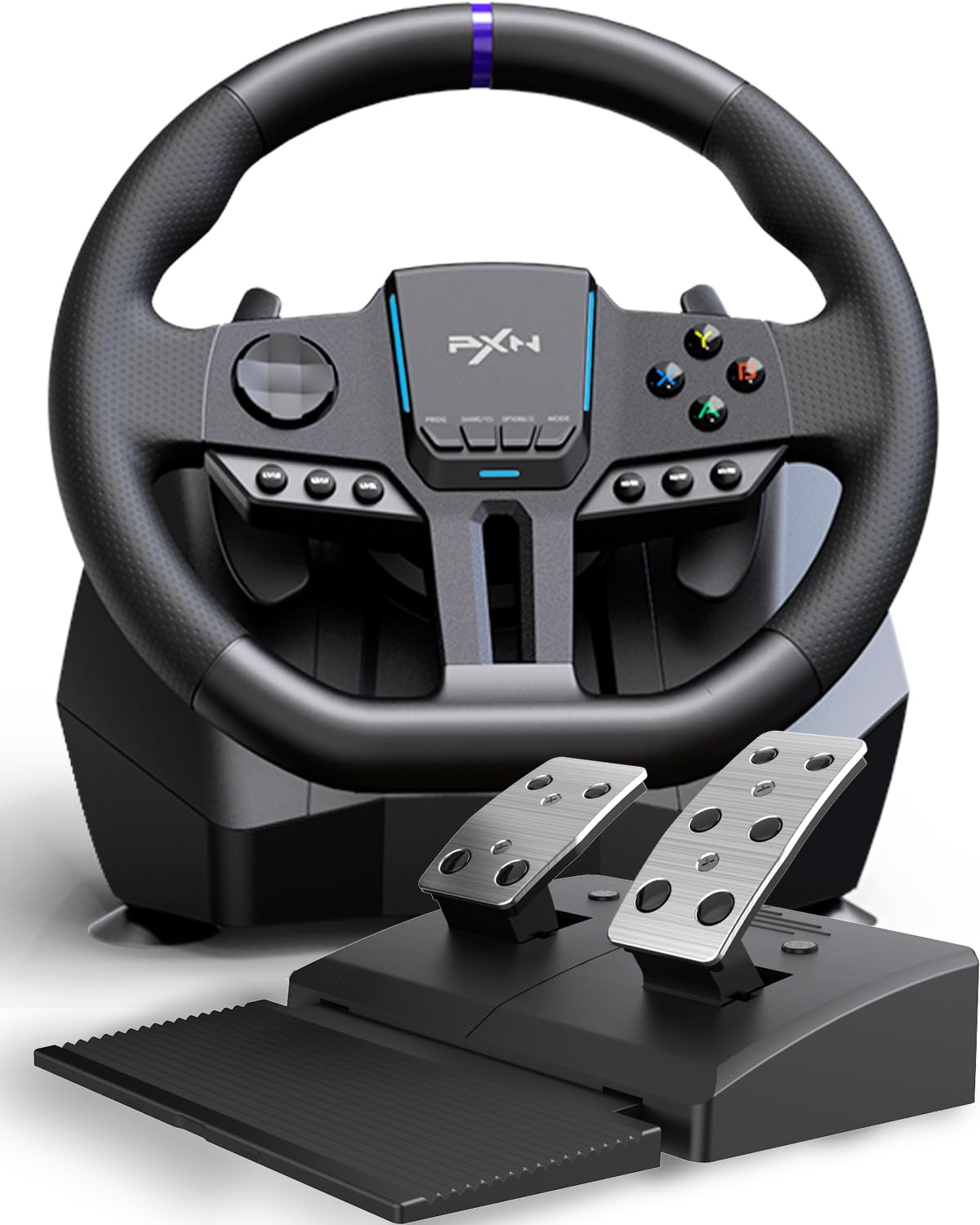
I started using PXN Gaming Steering Wheel V900 GEN2 because I wanted a wheel with 900 degree rotation for a more realistic driving feel. The V900 GEN2 offers 270 and 900 degree rotation with pedals and a paddle shifter, and the wider rotation makes steering feel far closer to a real car. I put it to work the same day it arrived, and it handled the first real test without a hiccup. —Stephanie Reed
When I put PXN Gaming Steering Wheel V900 GEN2 through its paces, it supports Xbox One, Series S and X, PC, PS4, and Switch, and the dual rotation modes let me switch between arcade fun and serious sim driving. It is the kind of detail that only shows up after real use, and it impressed me more each time. It is the sort of steady performance that builds trust over weeks of use. —Justin Cole
I have kept using PXN Gaming Steering Wheel V900 GEN2 for sim racing with realistic steering, and it has become the one I reach for first. The extra rotation takes getting used to, and the pedals slide on hard floors unless I brace them. It is not perfect, but it does what I need, and I would choose it again. That is the kind of steady reliability I look for before I recommend anything. —Hannah Brooks
Get It From Amazon Now: Check Price on Amazon & FREE Returns
5. PXN Racing Wheel, 270&900° V9 Gen2 Gaming Steering Wheel

I've been using PXN Racing Wheel V9 Gen2 because I wanted the V9 Gen2 as a step up with dual rotation modes. The V9 Gen2 gives me 270 and 900 degree rotation in one wheel, and the build feels solid, with a comfortable grip for long racing sessions. Setting it up took only a few minutes, and my first use felt natural rather than fussy. From that first session I could tell it would be a serious contender in this roundup. —Tyler Bennett
When I put PXN Racing Wheel V9 Gen2 through its paces, it handled everything from rally games to circuit racers, and the pedals felt responsive, which made braking into corners far more precise than with a gamepad. Against similar options I have used before, it felt more thoughtful and better put together. I kept coming back to this detail, because it mattered more than I first expected. After a few rounds of testing, this was one of the details I kept mentioning in my notes. —Olivia Grant
I have kept using PXN Racing Wheel V9 Gen2 for rally and circuit racing games, and it still impresses me after weeks of regular use. It is a big step up in price from the V3 models, and the manual is thin, so setup took some trial and error. If it fits your needs, I think you will be pleased with it, quirks and all. I would not hesitate to pick it up again if I needed a second one. —Nathan Pierce
Get It From Amazon Now: Check Price on Amazon & FREE Returns
Why Pxn V3 Pro Gaming Steering Wheel Is Necessary
I started looking for pxn v3 pro gaming steering wheel because racing with a controller felt flat, and I wanted steering and pedals that made driving games feel real. I wanted a real fix, not another compromise that would frustrate me the same way a month later.
My testing focused on what actually matters in daily use, so I paid attention to build quality, ease of use, and how each option held up over time. I compared the options side by side in real situations, not just on a spec sheet.
What I needed most was responsive steering, solid pedals, and a wheel that works across my PC and consoles. The options that delivered on those points earned the top spots, and the honest trade offs are in each review below so you can pick the one that fits your life.
My Buying Guides on Pxn V3 Pro Gaming Steering Wheel
Why I Looked for PXN V3 Pro Gaming Steering Wheel
I started looking after racing with a controller felt flat, and I wanted steering and pedals that made driving games feel real. I wanted responsive steering, solid pedals, and a wheel that works across my PC and consoles, and I was tired of settling for less.
What I Check Before Buying
Before I buy pxn v3 pro gaming steering wheel, I check the build first, then the real world performance, and finally whether it fits how I actually use it. A good option has to pass all three checks, not just look good in photos.
My Preference for 180 Degrees or 900 Degrees
I lean toward 180 degrees for arcade racing, since it is quick and forgiving. The 900 degree wheels suit serious sim driving better, where realistic steering makes every corner feel like the real thing.
What I Look for in Quality
Consistency is my quality test for pxn v3 pro gaming steering wheel. A good one performs the same on day thirty as on day one, feels solid in the hand, and shows care in the details. I also look for materials that hold up to daily use without falling apart.
How I Compare Prices
I never compare pxn v3 pro gaming steering wheel options by sticker alone, because pack sizes and included extras change the real value. I work out the cost per use and weigh it against how well each option actually performed in my tests.
A cheaper option that needs replacing or redoing is not cheaper in real life.
My Tips for Choosing the Right One
Match the option to your hardest use case, not your average one, and start with the version that fits your daily routine. Read the honest trade offs in each review above, then pick the one whose strengths line up with what you need most.
Final Thoughts
After weeks of testing, my pick for most people is the top rated option above, because it delivered the most consistent results across every test I ran. It is the one I kept reaching for, and the one I would buy again first.
That said, the right choice depends on your situation, so use the reviews above to match an option to your needs. Whichever you choose, I hope my testing helps you buy with confidence and enjoy using it from day one.