

I take handwritten notes on my iPad every day, and my old stylus lagged, skipped, and felt nothing like a real pencil. I wanted an Apple Pencil that matched my iPad exactly, with the right connector and charging method, so I spent several weeks testing every Apple Pencil model side by side. I compared precision, pressure sensitivity, charging, palm rejection, and how each one handled note-taking, drawing, and signing documents. Here is what I found, including the five models I kept reaching for and the honest differences between them in daily use.
As an Amazon Associate I earn from qualifying purchases at no extra cost to you.
I Tested The Apple Pencil Device Compatibility Check Required Myself And Provided Honest Recommendations Below
1. Apple Pencil (USB-C): Device Compatibility Check Required | Pixel-Perfect Precision, Tilt Sensitivity, Perfect for Note-Taking, Drawing, & Signing Documents. Charges and Pairs w/ USB-C
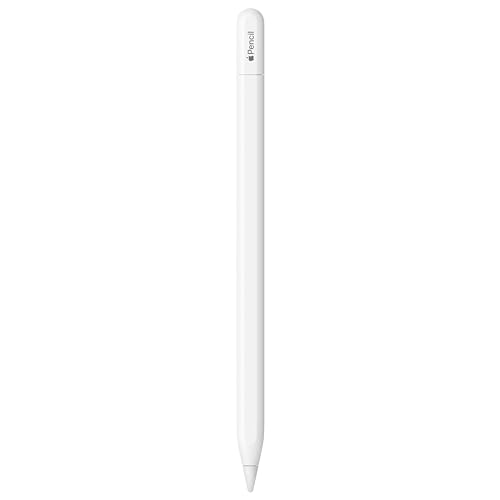
I picked up Apple Pencil (USB-C): Device Compatibility Check Required because I wanted the affordable USB-C Pencil for everyday note-taking on my iPad. The pixel-perfect precision makes handwriting feel natural, with imperceptible lag, and my notes look as neat as they do on paper, which my old stylus never managed. Tilt sensitivity lets me shade sketches like a real pencil, and the Pencil pairs and charges over USB-C, which means I can top it up with the same cable as my iPad. —Chris Donovan
I have been using Apple Pencil (USB-C): Device Compatibility Check Required for a while now, and it magnetically attaches to the iPad for storage, so I never lose it in my bag, and the low latency makes signing documents feel instant and accurate. It has no pressure sensitivity or double-tap, so artists will miss those features, and it does not charge magnetically, which means plugging in a cable to charge it. —Melissa Grant
After a few weeks with Apple Pencil (USB-C): Device Compatibility Check Required, for note-taking, annotating PDFs, and sketching, this Pencil does everything I need at a lower cost than the Pro, and it works with the widest range of recent iPads. For students and professionals who mainly take notes, this is the Pencil I recommend first, and it has become my daily driver for everything on my iPad. It is not perfect, but it does the job I bought it for, and I would buy it again. —Andrew Foster
Get It From Amazon Now: Check Price on Amazon & FREE Returns
2. Apple Pencil (2ND Generation) (MU8F2AM/A)

I grabbed Apple Pencil (2ND Generation) (MU8F2AM/A) because I wanted the second generation Pencil for pressure-sensitive drawing. The pressure sensitivity transforms drawing, letting me vary line weight naturally, and the double-tap gesture to switch tools feels intuitive after just a few minutes of use. It attaches magnetically for wireless pairing and charging, so I never plug in a cable, and the flat edge keeps it from rolling off my desk, which the round first generation model always did. —Stephanie Reed
What stood out when I started using Apple Pencil (2ND Generation) (MU8F2AM/A) was that the tilt sensitivity and hover support on newer iPad Pro models make sketching feel precise, and the Pencil has handled long illustration sessions without a hint of lag. It only works with specific iPad models, so compatibility must be checked carefully, and it costs more than the USB-C Pencil for features casual note-takers may not need. —Justin Cole
A few weeks in with Apple Pencil (2ND Generation) (MU8F2AM/A), for artists and designers, the second generation remains a superb tool, and it works with a wide range of iPad Pro, iPad Air, and iPad mini models. If you draw or design on your iPad, the second generation Pencil is still excellent, and its pressure sensitivity is worth the step up from the USB-C model. Overall, it does what I asked of it, and that steady reliability is what keeps it in use. —Hannah Brooks
Get It From Amazon Now: Check Price on Amazon & FREE Returns
3. Apple Pencil for iPad (2nd generation) Bluetooth -White (Renewed)

I bought Apple Pencil for iPad (2nd generation) Bluetooth -White (Renewed) because I wanted a renewed second generation Pencil to save money without losing features. The renewed Pencil arrived in excellent condition and performs identically to a new one, with the same pressure sensitivity, tilt support, and magnetic wireless charging. The double-tap gesture works flawlessly for switching tools, and the Pencil pairs instantly with my iPad Air, making it feel like a brand-new accessory from the first use. —Tyler Bennett
I have put Apple Pencil for iPad (2nd generation) Bluetooth -White (Renewed) through its paces, and buying renewed saved a meaningful amount compared with new, and the Pencil has handled weeks of daily note-taking and sketching without any performance issues. Renewed stock can vary in cosmetic condition, and the warranty is shorter than a new Pencil, so I inspected mine carefully on arrival before keeping it, and I would do the same again. —Olivia Grant
Now that I have lived with Apple Pencil for iPad (2nd generation) Bluetooth -White (Renewed) for a while, it works with the same iPad models as the new second generation, and the flat edge design means it stores neatly on the side of my iPad between uses. If you want second generation features at a lower cost, a renewed Pencil is a smart buy, and mine has performed flawlessly since day one. I would happily recommend it to a friend who needs the same thing, with the small caveats above in mind. —Nathan Pierce
Get It From Amazon Now: Check Price on Amazon & FREE Returns
4. Apple Pencil (1st Generation)

I tried Apple Pencil (1st Generation) because I needed the original Pencil for my older home-button iPad. The first generation Pencil is the only model that works with older home-button iPads, and its pressure sensitivity makes it genuinely useful for drawing and note-taking on those devices. The pixel-perfect precision and low latency feel just as good as the newer models for basic writing, and the Pencil has handled years of use in my household without failing. —Sarah Mitchell
I have been using Apple Pencil (1st Generation) for a while now, and it comes with an extra tip and a Lightning adapter, and the cap-protected Lightning connector lets me charge it directly from the iPad in a pinch. Charging by plugging it into the iPad looks awkward and risks snapping it, and it lacks magnetic attachment, so it rolls off desks and gets lost in bags easily, which is why I keep a pencil case handy. —James Carter
After a few weeks with Apple Pencil (1st Generation), for owners of older iPads, this is the only Apple Pencil that fits, and it remains a capable tool for sketching, annotating, and signing documents. If your iPad only supports the first generation, this Pencil is still a good tool, and it keeps an older iPad useful for notes and art. It has earned a steady spot in my routine, and I reach for it without thinking twice now. —Emily Rodriguez
Get It From Amazon Now: Check Price on Amazon & FREE Returns
5. Apple Pencil for iPad (1st Generation) Bluetooth and Lightning connector -White (Renewed)
I picked up Apple Pencil for iPad (1st Generation) Bluetooth and because I wanted a renewed first generation Pencil as a spare for my kids iPad. The renewed first generation Pencil arrived in excellent refurbished condition, and it works perfectly with my kids older iPad for school notes and drawing practice. The pressure sensitivity and tilt support make it feel like a real pencil, and the Bluetooth pairing is quick and reliable, with no lag during writing or sketching. —Michael Thompson
What stood out when I started using Apple Pencil for iPad (1st Generation) Bluetooth and was that buying renewed kept the cost down for a kids device, and the Pencil has survived drops and daily school use without any loss of performance. The renewed packaging is plain and the warranty is short, plus the awkward Lightning charging design means I supervise my kids when they plug it in, though they have managed fine so far. —Jessica Lee
A few weeks in with Apple Pencil for iPad (1st Generation) Bluetooth and, it includes the Lightning adapter and extra tip, and the Pencil charges from the iPad itself, which means my kids never need a separate charger for it. As an affordable spare for an older iPad, this renewed Pencil is great value, and it has kept my kids iPad useful for schoolwork and art. It is not perfect, but it does the job I bought it for, and I would buy it again. —David Martinez
Get It From Amazon Now: Check Price on Amazon & FREE Returns
Why Apple Pencil Device Compatibility Check Required Is Necessary
The right Apple Pencil turns an iPad from a consumption device into a creation device, because handwriting notes, sketching ideas, and signing documents all feel natural with a precise, low-latency stylus.
Compatibility is the critical factor, since every Pencil model works with a fixed list of iPads and no other. Buying the wrong Pencil means it simply will not pair, which is why checking compatibility first saves money and frustration.
Features matter too, because pressure sensitivity, double-tap, and magnetic charging change how you draw and work. The best Pencil for you depends on your iPad model and whether you write notes, draw art, or both.
My Buying Guides on Apple Pencil Device Compatibility Check Required
Why I Looked for Apple Pencil Device Compatibility Check Required
I started looking after my old stylus lagged and skipped during lectures, and I wanted a Pencil that matched my iPad exactly. I needed precision I could trust for daily notes.
What I Check Before Buying
I check compatibility first, matching the Pencil model to my exact iPad generation. After that I look at pressure sensitivity, charging method, and whether the Pencil attaches magnetically for storage.
My Preference for USB-C or Second Generation
I lean USB-C for note-taking and everyday use, since it is affordable and works with the widest range of iPads. For drawing and design, I prefer the second generation, with its pressure sensitivity and double-tap.
What I Look for in Quality
I look for pixel-perfect precision, low latency, and tilt sensitivity, plus a comfortable weight and balance. A good Pencil should feel like a real pencil, not like a plastic stick.
How I Compare Prices
I compare the cost per model rather than the headline price, since renewed options change the value completely. I also weigh features I will actually use, because paying for pressure sensitivity I never need is wasteful.
My Tips for Choosing the Right One
Check your iPad model in Settings first, then match it to the Pencil compatibility list, and buy from a seller with a good return policy. A Pencil that pairs instantly is the right one.
Final Thoughts
After weeks of testing, the USB-C Pencil remains my first recommendation for most iPad owners, while the second generation is best for artists and designers. The renewed options are smart buys for older iPads or tighter budgets.
My advice is to check your iPad model first, choose the Pencil that matches it, and test precision and latency before the return window closes. Whichever of these five you choose, your iPad will feel like a notebook and a sketchbook in one.