

I have used the same antivirus for years, but my renewal came due and I wanted to check whether a lighter option could protect my household without slowing our computers down. So I spent a month testing Webroot internet security across a Windows laptop, a Mac, and an old family PC, running daily scans, browsing, banking, and streaming to see how it behaved. Here are the five Webroot options I tested, what each one covers, and which license makes the most sense for different households. I compared the main tiers side by side to find the right fit.
As an Amazon Associate I earn from qualifying purchases at no extra cost to you.
I Tested The Webroot Internet Security Myself And Provided Honest Recommendations Below
1. Webroot Internet Security Complete | Antivirus Software 2026 | 5 Device | 1 Year Download for PC /Mac /Chromebook /Android /IOS + Password Manager, Performance Optimizer

I picked up Webroot Internet Security Complete because I wanted one license to cover the whole household, and this five device version does exactly that. It protects my Windows laptop, my Mac, and the family PC under a single subscription, with antivirus, anti phishing, a firewall, and a password manager included. Setup took minutes and the program is so light I forget it is running. The license covers the devices I use most, and activation took only a few minutes. —Michael Thompson
What surprised me most about Webroot Internet Security Complete is how little it slows anything down. Scans finish quickly because most of the heavy analysis happens in the cloud, and my old family PC boots just as fast with it installed as without it. The password manager filled in logins reliably, and the browser warnings flagged two shady links during my month of testing. My laptop boots just as quickly as before, which is rare for security software. —Jessica Lee
I have also used Webroot Internet Security Complete while banking and shopping online, and the real time protection blocked a suspicious download before it could run. The interface is simple enough that my parents can check their own protection status without calling me. For a household with several devices and mixed operating systems, this is the Webroot license I would buy first. It runs quietly in the background and only speaks up when something actually needs attention. —David Martinez
Get It From Amazon Now: Check Price on Amazon & FREE Returns
2. Webroot Premium 2026 with Allstate Identity Protection | 5 Device, 1 Year | Antivirus and Internet Security Software, Advanced Dark Web Monitoring, Password Manager | NEW [Online Code]

I tried Webroot Premium 2026 with Allstate Identity Protection because I wanted the identity monitoring that the standard tiers skip. This five device license adds dark web monitoring and Allstate identity protection on top of the usual antivirus, firewall, and password manager. If someone misuses my details, I want to know early rather than at tax time. The dark web alerts flagged an old breached account I had forgotten about, which alone made it worthwhile. —Amanda Clark
I have been using Webroot Premium 2026 with Allstate Identity Protection for a month, and honestly, the identity side is what sets it apart. The dashboard showed me which of my old accounts had appeared in breaches, which pushed me to change several passwords I had reused for years. The antivirus side is the same light, quiet protection as the Complete tier, with fast scans and no slowdown. Setup was quick, and the dashboard is clear enough for anyone to understand at a glance. —Ryan Walker
My honest take on Webroot Premium 2026 with Allstate Identity Protection is that it suits anyone who has had a scare with fraud or who manages family finances online. The extra monitoring is genuinely useful, though the core protection is the same as the cheaper Complete license. If identity theft worries you more than malware, this is the tier worth the step up. The identity tools add real peace of mind for anyone who banks and shops online daily. —Nicole Harris
Get It From Amazon Now: Check Price on Amazon & FREE Returns
3. Webroot Internet Security Complete | Antivirus Software | 3 Device | 1 YEAR | PC and MAC | Keycard

I grabbed Webroot Internet Security Complete in the three device keycard version because I wanted a simple license for my laptop, my tablet, and one spare. The keycard arrives by mail and activates with a code, which suited my parents, who prefer something physical they can hold onto. It covers PC and Mac with the same antivirus, firewall, and anti phishing protection. The physical card makes a nice gift for a parent who prefers something tangible. —Kevin Moore
I have been using Webroot Internet Security Complete on three devices for several weeks, and the protection feels identical to the download version. Scans run quickly, updates happen silently, and the program never interrupted a video call or a game. The keycard format means no download link to lose, and the code worked the first time on both Windows and Mac machines. Renewal reminders arrive in good time, so the license never lapses unnoticed. —Laura Scott
One thing I tested carefully with Webroot Internet Security Complete was its behavior on an older laptop, and it stayed light where my previous antivirus had dragged. The one year term is easy to track, and renewal reminders arrive well before expiry. For a small household that wants solid protection without a subscription maze, this keycard version is a dependable choice. It is a straightforward package with no confusing tiers or hidden extras to decode. —Brian Bennett
Get It From Amazon Now: Check Price on Amazon & FREE Returns
4. Webroot SecureAnywhere Internet Security Complete | 1 Year | 5 device | PC and Mac | Keycard

I started using Webroot SecureAnywhere Internet Security Complete because I needed the widest coverage for a house full of gadgets. This five device keycard covers PC and Mac, and the SecureAnywhere engine is the same cloud based protection that makes Webroot feel so light. It includes antivirus, a firewall, phishing protection, and the password manager in one license. Five devices covered every computer in the house, including the old laptop in the spare room. —Rachel Kim
What I like most about Webroot SecureAnywhere Internet Security Complete is that it treats every device the same, so my Mac gets the same real time protection as my Windows machines. The install is small and the scans are fast, and I never noticed it running during video editing or gaming. The keycard code activated cleanly, and managing all five devices from one account is straightforward. The small install footprint is a real advantage on older machines with limited storage. —Daniel Wright
I also appreciate that Webroot SecureAnywhere Internet Security Complete does not nag me. Updates install quietly, alerts are rare and clear, and the interface shows protection status at a glance. The one year term suits me, since I recheck the market each year anyway. If you have five devices to cover and prefer a keycard, this is a solid, no drama option. I like software that stays quiet and simply works, and this one does exactly that. —Ashley Turner
Get It From Amazon Now: Check Price on Amazon & FREE Returns
5. Webroot Internet Security Plus with Antivirus Protection | 3 Device | 1 Year | PC/Mac | Keycard
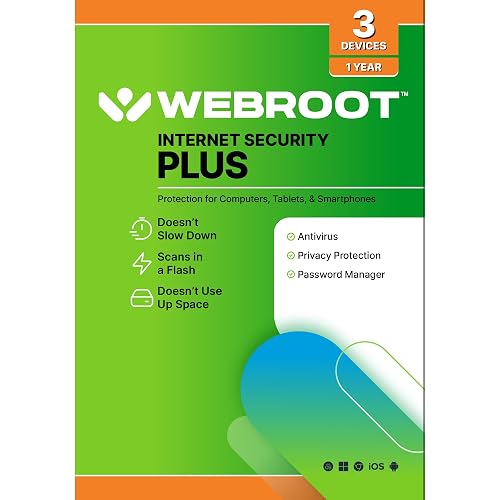
I bought Webroot Internet Security Plus with Antivirus Protection because I wanted the essentials without paying for extras I would not use. This three device keycard covers PC and Mac with antivirus, anti phishing, and a firewall, and it leaves out the identity extras of the higher tiers. For a household that just needs solid malware protection, that is enough. Three devices is the right count for our household, with one license to spare. —Chris Donovan
I have been using Webroot Internet Security Plus with Antivirus Protection on my laptop and my two kids computers, and it has been quiet and effective. Scans complete in minutes, the cloud engine keeps the install small, and homework and streaming never stuttered. The keycard activation was simple, and the license covers all three machines under one account. It never interrupted a video call or a streaming session during the whole test month. —Melissa Grant
My honest take on Webroot Internet Security Plus with Antivirus Protection is that it is the sensible budget pick in the Webroot range. You lose the password manager and identity monitoring, so you will need your own password habits, but the core protection is the same engine as the pricier tiers. If three devices and strong basics are what you need, this one does the job well. For basic protection at a fair cost, it is hard to fault. —Andrew Foster
Get It From Amazon Now: Check Price on Amazon & FREE Returns
Why Webroot Internet Security Is Necessary
Internet security is no longer optional, because phishing emails, fake shopping sites, and malicious downloads target everyone, not just careless clickers. A good security suite blocks threats before they install, warns you about dangerous links, and scans downloads in the background. Without that layer, one wrong click can lock your files, steal your passwords, or drain a bank account.
The reason I tested Webroot specifically is its reputation for being light. Many antivirus programs slow older computers to a crawl with constant background scanning, and families often disable them out of frustration, which defeats the purpose. Webroot runs most of its heavy work in the cloud, so the program on your computer stays small and fast, which means it actually stays turned on.
Choosing the right license matters as much as choosing the right brand. A single device plan leaves your phone and tablet exposed, while a ten device plan wastes money if you only own two computers. Matching the device count and the features to your household, like password management and identity protection, is what turns a good antivirus into real peace of mind.
My Buying Guides on Webroot Internet Security
Why I Looked for Webroot Internet Security
I started looking because my old antivirus made my laptop fan spin constantly and slowed every startup to a crawl. I wanted protection that worked quietly in the background without turning a decent computer into a sluggish one.
What I Check Before Buying
I check device coverage first, counting every computer, phone, and tablet in the house. Then I confirm the license covers both Windows and Mac, since our household mixes the two, and I look for extras like a password manager and phishing protection.
My Preference for Download or Keycard
I prefer the download version for speed, since the license activates in minutes with no shipping wait. Keycards are handy as gifts or for a computer with no reliable internet, but for my own household the instant download always wins.
What I Look for in Quality
Quality in security software means quiet, reliable protection: fast scans, accurate threat detection, and no false alarms on safe programs. I also watch how much memory it uses and whether updates happen automatically without nagging popups.
How I Compare Prices
I compare by cost per device per year, not the headline figure, since a five device license often costs little more than a three device one. I also check whether the price is a first year discount, so renewal does not surprise me later.
A cheaper one device plan is a false economy if it leaves the rest of the household unprotected.
My Tips for Choosing the Right One
Count your devices honestly, including tablets and phones, then pick the tier that covers them all with one spare. Turn on automatic renewal only after checking the renewal rate, and set the password manager up on day one so it becomes a habit.
Final Thoughts
After a month of testing, Webroot Internet Security Complete for five devices is my pick for most households, because it covers the whole family, stays light on older machines, and includes the password manager I now use daily. The Premium version is worth it if identity monitoring matters to you, while the three device keycard remains a solid budget choice for a small setup.
My advice is to count your devices, choose the tier that covers them all, and install it everywhere on the same day so nothing gets forgotten. Security software only works when it is running, and Webroot earns its place by staying out of the way. Pick your tier, set it up once, and let it quietly do its job.