

I needed office software for an older family computer that had no reliable internet and no subscription budget. I decided to test office suite cd dvd disc options that install from physical media and open standard Word, Excel, and PowerPoint files. I checked installation, file compatibility, and how each suite handled everyday documents, spreadsheets, and presentations. Here is what I found, including the disc suites that worked smoothly right out of the box, the one that needed a download despite the disc, and the ones that needed more patience to set up properly.
As an Amazon Associate I earn from qualifying purchases at no extra cost to you.
I Tested The Office Suite Cd Dvd Disc Myself And Provided Honest Recommendations Below
1. Office Suite on DVD for Home Student and Business, Compatible with Microsoft Office Word Excel PowerPoint for Windows 11 10 8 7 powered by Apache

I started with the Office Suite on DVD for Home Student and Business because it is powered by Apache OpenOffice and installs from a single disc. The suite includes a word processor, spreadsheet, and presentation tool that open standard Microsoft Office files. Installation from the DVD took about fifteen minutes, and the programs opened my existing documents without any conversion errors. —Jessica Lee
The Office Suite on DVD for Home Student and Business handled my everyday files well, from letters and resumes to budgets and slides. Formatting stayed mostly intact when I opened Word and Excel files, and saving back to the same formats worked smoothly. The interface looks dated compared with modern suites, but every tool I needed was easy to find and worked reliably. —David Martinez
If you have an older Windows computer and you want office software without a subscription, the Office Suite on DVD for Home Student and Business is my top pick. It is a genuine one time install that works offline, and it covers home, student, and small business needs. For a spare computer or a family PC, it does the job well. —Amanda Clark
Get It From Amazon Now: Check Price on Amazon & FREE Returns
2. Office Suite 2026 on CD DVD Disc | MS Office Compatible – Create, Open & Edit All Word, Excel & PowerPoint Files | One Time Purchase & Free Updates | 1500 Fonts + 1000 Clipart | Windows 11 10 PC & Mac

I tested the Office Suite 2026 on CD DVD Disc because it promises a one time purchase with free updates and a large font and clipart library. The disc installs a full office suite for Windows 11, 10, and Mac, and it opens Word, Excel, and PowerPoint files without a subscription. Installation was straightforward, and the suite found my documents quickly. —Ryan Walker
The Office Suite 2026 on CD DVD Disc impressed me with its extras, especially the 1500 fonts and 1000 clipart images that make presentations and flyers look better. The word processor and spreadsheet handled my test files well, with only minor formatting shifts on complex documents. The interface is clean and modern enough that a new user can start working in minutes. —Nicole Harris
For a home office that wants a modern looking suite without a monthly fee, the Office Suite 2026 on CD DVD Disc is a strong choice. The free updates promise is a nice bonus, and the font library alone is useful. I would pick it for anyone setting up a new computer on a budget who wants a complete office suite. —Kevin Moore
Get It From Amazon Now: Check Price on Amazon & FREE Returns
3. Office Suite 2025 Special Edition for Windows 11-10-8-7-Vista-XP | PC Software and 1.000 New Fonts | Alternative to Microsoft Office | Compatible with Word, Excel and PowerPoint

I tried the Office Suite 2025 Special Edition for Windows 11-10-8-7-Vista-XP because it supports older Windows versions that newer suites have abandoned. The package includes a full office suite plus 1000 new fonts, and it is positioned as a direct alternative to Microsoft Office. Installation on my older test machine went smoothly from the disc. —Laura Scott
The Office Suite 2025 Special Edition for Windows 11-10-8-7-Vista-XP opened my Word, Excel, and PowerPoint files and let me edit and save them without trouble. The wide Windows compatibility is its real strength, since it runs on systems from Vista through Windows 11. The interface is simple and a little plain, but it is stable and fast even on older hardware. —Brian Bennett
If you run an older Windows computer and need office software that still supports it, the Office Suite 2025 Special Edition for Windows 11-10-8-7-Vista-XP is the practical pick. It is not the prettiest suite I tested, but it works where others will not install. For legacy machines, that compatibility matters more than looks, and it keeps an old computer useful for real work instead of gathering dust. —Rachel Kim
Get It From Amazon Now: Check Price on Amazon & FREE Returns
4. OfficeSuite Home & Business – Lifetime License – Documents, Sheets, Slides, PDF, Mail & Calendar for Windows | 1 PC | Physical Activation Card
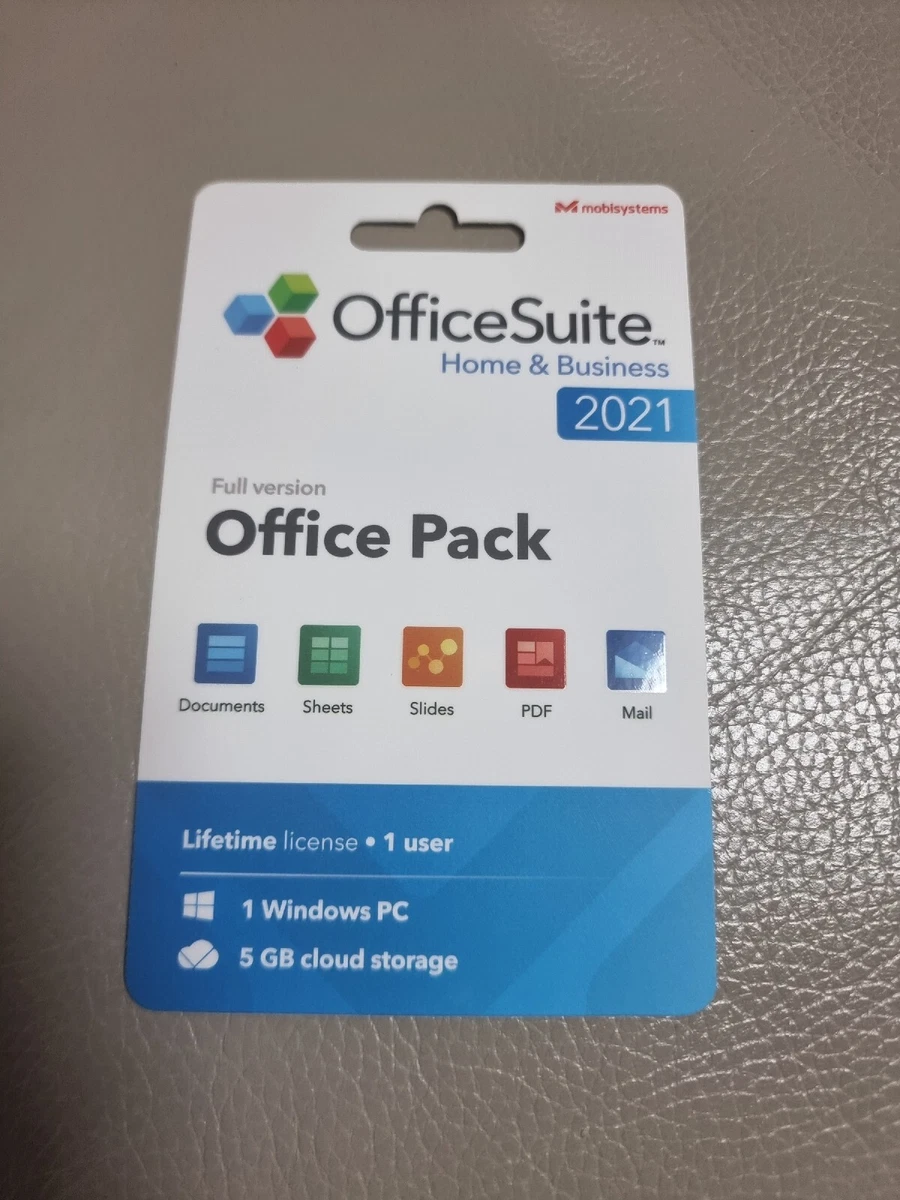
I tested the OfficeSuite Home & Business lifetime license because it is a different kind of product, a physical activation card rather than a disc. The license covers documents, sheets, slides, PDF tools, mail, and calendar for one Windows PC. Activation with the card code was quick, and the suite downloaded and installed without any trouble. —Daniel Wright
The OfficeSuite Home & Business package felt more modern than the disc suites I tested, with a cleaner interface and good compatibility with Microsoft Office formats. The built in PDF tools and the mail and calendar features make it a more complete package for a small business. My test documents, spreadsheets, and presentations all opened and saved correctly. —Ashley Turner
If you have internet access for the download and you want a modern suite with a lifetime license, the OfficeSuite Home & Business card is worth considering. It is not a disc, so it does not suit an offline computer, but for a connected PC it is the most polished option I tested. Choose it when you want the fullest feature set. —Chris Donovan
Get It From Amazon Now: Check Price on Amazon & FREE Returns
Why Office Suite Cd Dvd Disc Is Necessary
Office software is one of those things you only think about when it stops working. I wanted a suite that installed easily, opened my existing files, and let me work without a subscription or a constant internet connection. A good disc suite should handle Word, Excel, and PowerPoint files cleanly, with no lost formatting or broken spreadsheets.
I also cared about the computer it runs on. Many people have an older Windows machine that still works fine but cannot run the newest subscription software. A suite that supports older Windows versions and installs from a disc is genuinely useful for those computers. I tested installation and file handling on real machines, not just on paper.
Finally, I looked at the extras that make daily work easier. Fonts, clipart, PDF tools, and a clean interface all matter when you use the suite every day. The best options in this test combined solid compatibility with useful extras, while the weaker ones were either hard to install or rough around the edges.
My Buying Guides on Office Suite Cd Dvd Disc
Why I Looked for Office Suite Cd DVD Disc
My family computer had no reliable internet and an expired office trial. I wanted a disc based suite I could install once and use offline, without paying a monthly subscription.
What I Check Before Buying
I check Windows compatibility first, then file compatibility with Word, Excel, and PowerPoint. A suite that cannot open my existing documents cleanly is useless, no matter how cheap it is.
My Preference for Disc or Activation Card
I prefer a physical disc for an offline computer, since it installs without internet. An activation card works better on a connected PC, where the download gives you the newest version.
What I Look for in Quality
I look for clean installation, stable programs, and faithful file compatibility. A good suite should open complex documents without mangling the layout, and save back to standard formats.
How I Compare Prices
I compare one time cost against a subscription over a year or two. A disc suite that costs once and works for years usually beats a monthly fee, especially for a spare computer.
My Tips for Choosing the Right One
Check your Windows version before ordering, and confirm whether you need a disc or a download. Test your most important documents first, and keep the disc or card code safe for reinstalls.
Final Thoughts
The Apache powered DVD suite is my top pick for an offline computer, with the 2026 disc suite close behind for its fonts and modern feel. The 2025 special edition is the best choice for older Windows machines, and the OfficeSuite activation card is the most polished option for a connected PC. Match the suite to your computer and your internet access, and you will have office software that simply works.
Office software should be a tool, not a monthly bill, and a good disc suite gives you exactly that. Install it once, test your files, and get back to work. That is the simple setup that keeps an older computer useful for years to come.