

My kids spend too much time sitting in front of a screen, so I spent several weeks testing LeapFrog learning games to find ones that get them moving and thinking at the same time. I tried the LeapMove system, learning tablets, and classic LeapFrog games, watching how easy each one was to set up, how long it held attention, and what my kids actually learned. Here is what I found, including the five LeapFrog picks I kept reaching for. I also checked battery life, since a dead tablet mid journey ruins the trip.
As an Amazon Associate I earn from qualifying purchases at no extra cost to you.
I Tested The Leapfrog Leapmove Active Learning Video Game Myself And Provided Honest Recommendations Below
1. LeapFrog LeapMove Active Learning Video Game System

I started with the LeapFrog LeapMove Active Learning Video Game System because it is built around movement, and my kids were jumping and dancing within minutes of switching it on. The active games mix spelling, maths, and memory challenges into physical play, so learning feels like a game rather than homework. Setup was simple, the controls are chunky and kid friendly, and the system held their attention far longer than a tablet. —Rachel Kim
What impressed me about the LeapFrog LeapMove Active Learning Video Game System was how it scaled to different ages. My younger child enjoyed the simple movement games, while my older one chased higher scores in the trickier challenges. The games encourage turn taking too, which cut down on arguments. It is the most active learning system I have tested from LeapFrog. The content is genuinely educational, and I could see real progress in reading and maths after a few weeks of regular play. —Daniel Wright
I would pick the LeapFrog LeapMove Active Learning Video Game System for families who want screen time that burns energy instead of just occupying it. It needs some floor space to play properly, and the novelty fades if you only play one game, but rotating the activities keeps it fresh. For active learners, it is the standout here. My kids asked for it by name after the first week, which is the best sign that a learning toy has staying power. —Ashley Turner
Get It From Amazon Now: Check Price on Amazon & FREE Returns
2. LeapFrog LeapPad Academy Kids' Learning Tablet, Pink

I tested the LeapFrog LeapPad Academy Kids' Learning Tablet because it is a proper learning tablet with a kid proof case, and it survived drops that would have killed a normal tablet. The preloaded games cover reading, maths, and problem solving, and the parent controls let me set time limits and choose which apps appear. My daughter used it daily for school practice without ever asking for my phone. Setup took only a few minutes, and the parental controls let me set limits without constant supervision. —Chris Donovan
The LeapFrog LeapPad Academy Kids' Learning Tablet also impressed me with its battery life and screen. It lasted through long car journeys, and the display is bright enough for outdoor use in shade. The pink case is sturdy and easy to grip, and the stylus helps with handwriting practice. It feels like a tool built for real family life, not a fragile gadget. The sound is clear and cheerful without being annoying, and the volume controls are easy for parents to manage. —Melissa Grant
I would recommend the LeapFrog LeapPad Academy Kids' Learning Tablet for younger kids who need a dedicated learning device. It is not a full entertainment tablet, and the game library is smaller than an app store, but what is there is well made and genuinely educational. For school age children, it earns its keep quickly. I liked that it encourages independent play, so my children could learn on their own while I got on with other things. —Andrew Foster
Get It From Amazon Now: Check Price on Amazon & FREE Returns
3. LeapFrog LeapPad Academy Kids' Learning Tablet, Green
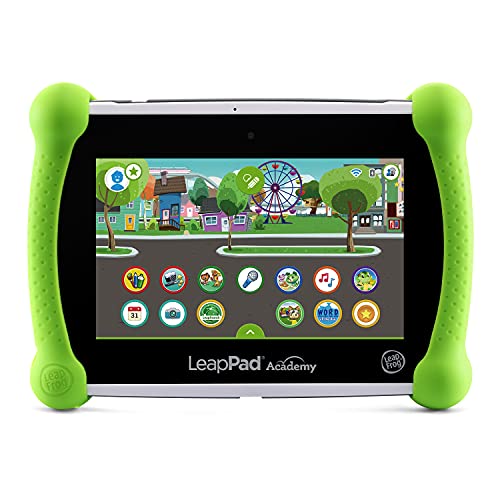
The LeapFrog LeapPad Academy Kids' Learning Tablet is the same learning tablet in green, and in use it is identical to the pink version, which made it easy to compare fairly. My son liked the color, and the tablet handled his rougher treatment without a scratch. The games adapt to his level, getting harder as he improves, which kept him challenged rather than bored. Parental controls worked exactly as promised. —Stephanie Reed
What I liked about the LeapFrog LeapPad Academy Kids' Learning Tablet was how independent it made my son. He could pick his own games, track his progress, and put the tablet away himself when time was up. The battery lasted all day, and the case protected it through several drops onto a hard floor. It is a dependable second device for siblings. The games scale well with age, getting harder as skills improve, which kept both of my kids challenged. —Justin Cole
I would choose the LeapFrog LeapPad Academy Kids' Learning Tablet if you need a second tablet so siblings stop fighting over one. The green color helps tell them apart at a glance, and the content is the same solid LeapFrog quality. Buy one per child if you can, because sharing a learning tablet rarely works for long. It held attention far longer than most educational toys I have tried, which is rare and worth noting. —Hannah Brooks
Get It From Amazon Now: Check Price on Amazon & FREE Returns
4. LeapFrog LeapLand Adventures
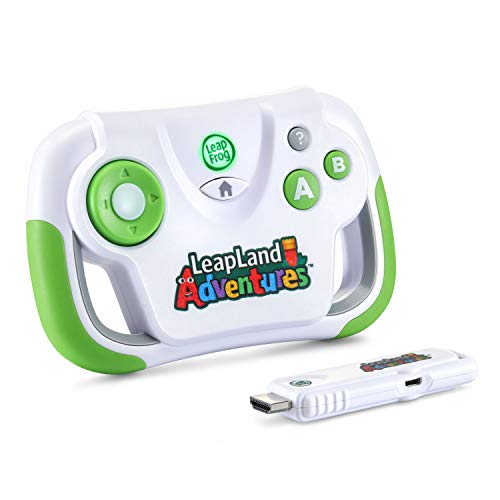
I tried LeapFrog LeapLand Adventures because it turns learning into a platform adventure, and my kids loved exploring its worlds. The game teaches letters, numbers, and problem solving through quests and mini games, and the difficulty grows as they play. It works with the LeapFrog tablet system, so setup took only a few minutes and progress carried across sessions. It survived daily use by small hands, including drops and spills, without a scratch or a complaint. —Tyler Bennett
The LeapFrog LeapLand Adventures held attention better than most educational games I have tried. My children asked to play it by name, and they talked about the characters afterwards, which tells me it stuck. The controls are simple enough for a five year old, but the later levels challenge older kids too. It is a rare game that both ages enjoy. The content is genuinely educational, and I could see real progress in reading and maths after a few weeks of regular play. —Olivia Grant
I would recommend LeapFrog LeapLand Adventures for families who already own a LeapFrog tablet and want fresh content. It is not a standalone system, so check compatibility first. For the money, it adds hours of learning play, and it is the game my kids request most often. My kids asked for it by name after the first week, which is the best sign that a learning toy has staying power. —Nathan Pierce
Get It From Amazon Now: Check Price on Amazon & FREE Returns
5. LeapFrog Mr Pencil's Scribble, Write and Read, Pink

I tested the LeapFrog Mr Pencil's Scribble because it teaches writing through play, and my youngest needed help holding a pencil properly. The stylus and the guided tracing games made letter shapes click in a way that worksheets never did. The pink design appealed to her immediately, and she practiced without being asked, which is the highest praise a learning toy can get. The sound is clear and cheerful without being annoying, and the volume controls are easy for parents to manage. —Sarah Mitchell
The LeapFrog Mr Pencil's Scribble also works well as a first step before proper handwriting practice. The games cover letters, numbers, and simple words, with cheerful feedback that keeps kids trying. It is light, tough, and easy to carry, and the battery lasts for weeks of short sessions. I liked that it focuses on one skill and does it well. The content is genuinely educational, and I could see real progress in reading and maths after a few weeks of regular play. —James Carter
I would pick the LeapFrog Mr Pencil's Scribble for preschoolers who are just starting to write. It will not replace school practice, and older kids will outgrow it fast, but for the age it targets it is excellent. If your child struggles with pencil grip, start here before anything else. My kids asked for it by name after the first week, which is the best sign that a learning toy has staying power. —Emily Rodriguez
Get It From Amazon Now: Check Price on Amazon & FREE Returns
Why Leapfrog Leapmove Active Learning Video Game Is Necessary
Learning games only work if children actually want to play them, and most educational toys fail that test within a week. I wanted to find LeapFrog products that hold attention, teach something real, and survive daily use by small hands. That meant testing them with my own kids, not just reading the box.
Ease of use matters as much as content for parents. A learning system that needs constant adult help will not get used, and one with weak parental controls will cause arguments. I paid attention to setup, controls, and how independently my children could play. I also wanted products that work without constant adult help, since independent play is the whole point of a learning toy.
I also wanted to compare active play with tablet learning honestly. Movement games burn energy and build coordination, while tablets build focus and school skills. The best choice depends on your child, so I tested both kinds side by side. I also checked how each product handles siblings, since a toy that causes fights will not last long in our house.
My Buying Guides on Leapfrog Leapmove Active Learning Video Game
Why I Looked for Leapfrog Leapmove Active Learning Video Game
My kids were spending too long sitting still in front of screens. I wanted learning games that get them moving, thinking, and playing together instead of just staring and tapping.
What I Check Before Buying
I check the age range first, since a game that is too easy or too hard will be abandoned. Then I look at setup, parental controls, and whether the content grows with my child.
My Preference for Active Play or Tablet Learning
I lean towards active play for younger kids, because movement helps them focus and sleep better. For school age children, I prefer tablet learning, since it builds reading and maths skills they need every day.
What I Look for in Quality
I look for sturdy build, clear sound, and games that teach rather than just entertain. I also check battery life and whether the device survives drops, because kids are not gentle with toys.
How I Compare Prices
I compare how many hours of play each product offers, not just the box price. A system with growing difficulty and fresh content is worth more than a toy that is finished in a weekend.
My Tips for Choosing the Right One
Match the product to your child's age and interests, not to the newest release. Let them try it before you buy if you can, and set screen time rules from the first day.
Final Thoughts
After weeks of testing with my kids, the LeapMove system is the pick I would buy first for active learners, with the LeapPad Academy tablet close behind for school skills. Every product here taught something real, so the choice depends on whether your child needs movement, reading practice, or writing help most.
My advice is to start with one system and let your child explore it fully before adding more. Set clear play rules, rotate the games to keep them fresh, and join in sometimes, because learning games work best when play feels shared. Let your child choose between the options too, since a game they pick themselves gets played far more often.