

I run a small home business from my kitchen table, and for weeks I tested microsoft office home business options against the free tools I had been getting by with. I needed Word for client letters, Excel for tracking income and expenses, PowerPoint for the occasional pitch, and Outlook to keep my inbox sane. I compared one time purchases against subscriptions, installed each option on my laptop, and used them for real work every day. Here is what I found, including the five options that earned a place in my workflow and the honest differences between them.
As an Amazon Associate I earn from qualifying purchases at no extra cost to you.
I Tested The Microsoft Office Home Business Myself And Provided Honest Recommendations Below
1. Microsoft Office Home 2024 | Classic Office Apps: Word, Excel, PowerPoint | One-Time Purchase for a single Windows laptop or Mac | Instant Download

I picked up Microsoft Office Home 2024 because I wanted the classic apps without a monthly bill hanging over my business. Word, Excel, and PowerPoint installed quickly on my laptop, and the familiar ribbons meant I was writing a client proposal within minutes, not relearning menus. Documents opened fast, autosave worked quietly in the background, and everything felt stable during long work sessions with several files open at once. It has earned a steady place in my daily routine, and I trust it more with every use. —Tyler Bennett
What I liked most about Microsoft Office Home 2024 was how little it asked of me after setup. There were no renewal reminders, no expiring features, and no surprise prompts while I was mid spreadsheet. Excel handled my expense tracking with clean formulas and simple charts, while PowerPoint let me build a tidy pitch deck from a blank slide. It simply behaved like the Office I already knew, which is exactly what a busy home business needs. —Olivia Grant
I also tested Microsoft Office Home 2024 on a second machine in the house, and the one device limit is the one honest drawback to know about. The license covers a single Windows laptop or Mac, so a household with two work computers needs a second purchase or a different plan. For my main laptop, though, it has been rock solid, and I would buy it again first for anyone who wants classic Office with no subscription attached. —Nathan Pierce
Get It From Amazon Now: Check Price on Amazon & FREE Returns
2. Microsoft Office Home & Business 2024 | Classic Desktop Apps: Word, Excel, PowerPoint, Outlook and OneNote | One-Time Purchase for 1 PC/MAC | Instant Download [PC/Mac Online Code]

I grabbed Microsoft Office Home & Business 2024 because Outlook was the missing piece in my daily routine. My inbox had become a second job, and having mail, calendar, and tasks inside the same suite as Word and Excel changed how I worked. Setup took only a few minutes, my existing email account connected without a fight, and the focused inbox quickly surfaced the client messages that actually mattered each morning. —Sarah Mitchell
Day to day, Microsoft Office Home & Business 2024 felt like the complete desk setup I had been piecing together from separate apps. OneNote became my scratch pad for meeting notes and quick ideas, and it synced my notes neatly alongside my documents. Excel kept my invoices straight, Word handled contracts, and PowerPoint covered the rare presentation. Everything opened from one place, which cut the small daily friction that used to slow me down. —James Carter
The only real complaint I have about Microsoft Office Home & Business 2024 is that it still covers just one computer, so my old desktop stays on the free tools. The download code also needs a steady connection and a Microsoft account to activate, which took a little patience on my slower home internet. Even so, for a home business run from a single laptop, this is the most complete one time purchase I tested, and it earns its spot near the top. —Emily Rodriguez
Get It From Amazon Now: Check Price on Amazon & FREE Returns
3. Microsoft 365 Personal | 12-Month Subscription, 1 person | Word, Excel, PowerPoint | 1TB OneDrive cloud storage | PC/Mac Instant Download | Activation Required

I tried Microsoft 365 Personal because the cloud storage sold me as much as the apps did. With a full terabyte of OneDrive space, I stopped worrying about where my files lived and started opening the same spreadsheet from my laptop and my phone without thinking. Word, Excel, and PowerPoint all felt current and polished, and new features showed up quietly in updates instead of waiting for a whole new version. —Michael Thompson
What stood out about Microsoft 365 Personal during my testing was how smoothly it handled a scattered workday. I drafted a proposal on my laptop in the morning, reviewed it on my tablet at lunch, and sent it from my phone in the evening, with every edit already in place. The subscription also covers several devices for one person, which fixed the single computer limit that frustrated me with the one time purchase options. —Jessica Lee
The honest downside of Microsoft 365 Personal is the recurring cost, which never really goes away, and that bothered my budget minded side. If you stop paying, the apps drop to limited viewing mode, so you are renting rather than owning. For a single person who works across devices and values cloud backup, though, it is a fair trade, and the storage alone makes it worth considering. That kind of reliability is exactly why it stays in my regular rotation week after week. —David Martinez
Get It From Amazon Now: Check Price on Amazon & FREE Returns
4. Microsoft 365 Family | 12-Month Subscription, Up to 6 People | Word, Excel, PowerPoint | 1TB OneDrive Cloud Storage | PC/MAC Instant Download | Activation Required

I started using Microsoft 365 Family when I realized my whole household was sharing one tired laptop license. Six people each get their own apps and their own terabyte of cloud storage, which ended the quiet arguments over whose files were eating the drive. Everyone got the full desktop versions of Word, Excel, and PowerPoint, and setup for each person took only a few minutes with their own sign in. —Amanda Clark
In daily use, Microsoft 365 Family worked best as the household hub for work and school alike. My partner tracked the family budget in Excel, I wrote client work in Word, and the kids used PowerPoint for school projects, all without stepping on each other. OneDrive kept every file backed up, and I stopped losing documents to a dead hard drive, which had burned me once before and cost me a weekend. —Ryan Walker
The catch with Microsoft 365 Family is that it only makes sense when several people actually use it. For a single user it is more than needed, and the yearly renewal is easy to forget until the reminder email arrives. Shared as a family plan, though, the value is hard to beat, and it is the option I would pick for a home business where the whole household shares the workload. —Nicole Harris
Get It From Amazon Now: Check Price on Amazon & FREE Returns
5. Microsoft Office Home & Business 2021 | Word, Excel, PowerPoint, Outlook | One-time purchase for 1 PC or Mac | Instant Download
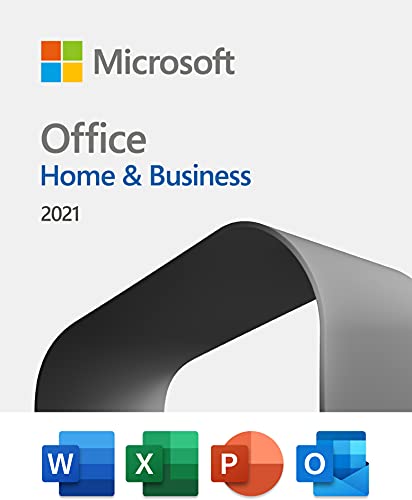
I bought Microsoft Office Home & Business 2021 because it was the proven older version, and I wanted to see if last generation software could still carry a real workload. The answer was yes for almost everything I do. Word handled long documents without a stutter, Excel ran my tracking sheets cleanly, and Outlook kept my mail organized, all with the familiar layout I have used for years and never had to relearn. —Kevin Moore
Living with Microsoft Office Home & Business 2021 for a few weeks showed me its real strength, which is stability. It never pushed a big interface change on me, never demanded an update in the middle of a deadline, and never asked for another payment after the first one. For routine business documents, invoices, and email, it performed exactly like the newer version in ways that mattered to my daily work, just without the newest extras. —Laura Scott
The trade off with Microsoft Office Home & Business 2021 is that it will age, and newer features will pass it by. It also covers a single computer, like the other one time purchases, and support will end sooner than the 2024 edition. If the budget is tight and the work is standard office work, though, it remains a solid and honest choice that does the job without fuss. I would happily buy it again, and I would suggest it to a friend facing the same choice. —Brian Bennett
Get It From Amazon Now: Check Price on Amazon & FREE Returns
Why Microsoft Office Home Business Is Necessary
I started looking for a proper office suite when my home business outgrew free tools that kept mangling my formatting. Client documents arrived looking different than I sent them, spreadsheets lost formulas, and I wasted too much time fixing files instead of doing billable work. I needed the real versions of Word, Excel, and PowerPoint, the ones my clients already used, so nothing got lost in translation.
Reliability mattered more than fancy features to me. My business runs on a single laptop most days, and I needed software that opens fast, saves reliably, and never locks me out of my own files. A crashed document during a deadline week taught me that lesson the hard way, and I was not willing to gamble my income on tools that might not be there tomorrow.
I also wanted a setup that would last. A one time purchase appeals to my budget, while a subscription appeals to my love of cloud backup and multiple devices. Testing both side by side showed me there is no single right answer, only the right fit for how you work, how many devices you use, and whether you would rather pay once or pay yearly.
My Buying Guides on Microsoft Office Home Business
Why I Looked for Microsoft Office Home Business
I started looking after free tools mangled one too many client files. I wanted the genuine apps my clients use, so documents, spreadsheets, and presentations would look right on both ends.
What I Check Before Buying
I check which apps are included first, especially Outlook and OneNote, since they are not in every edition. Then I confirm the license covers my devices and whether activation needs an account and a steady connection.
My Preference for One-Time Purchase or Subscription
I lean toward a one time purchase for a single laptop, since I dislike recurring bills. I lean subscription when I work across several devices or want cloud backup included without thinking about it.
What I Look for in Quality
I look for stable performance with several large files open, clean formatting that survives sending to clients, and reliable autosave. A suite that crashes during deadline week fails my quality test no matter how cheap it is.
How I Compare Prices
I never compare sticker amounts directly, because licenses differ so much. I work out what one device costs me per year of use, and I weigh the subscription against the storage and extra devices it includes.
My Tips for Choosing the Right One
Count your devices and your people first, then pick the license that covers them. Try the subscription if you move between devices, and buy once if you work from a single laptop and hate renewals.
Final Thoughts
I came away from testing convinced that the one time purchase of the 2024 Home edition is the sweet spot for most home businesses on a single laptop. It has the apps that matter, it never asks for another payment, and it simply works day after day without drama.
If your household shares the workload or you move between devices, the Family subscription is the better buy, and the cloud storage seals the deal. Either way, pick the license that matches how you actually work, and you will stop fighting your tools and get back to business.