

My phone holds thousands of photos I never look at, so I went looking for a simple way to print the best ones at home. I wanted a small printer that turned a phone photo into a real print in under a minute, without a big machine or a trip to a shop. After comparing options, I settled on five Kodak Dock printers and refills to test. I printed from an iPhone and an Android phone, checking color, sharpness, and ease of use. Here is what I found, and which printer I would buy again.
As an Amazon Associate I earn from qualifying purchases at no extra cost to you.
I Tested The Kodak Dock Plus Photo Printer Myself And Provided Honest Recommendations Below

1. Kodak Dock & Wi-Fi Portable 4×6" Instant Photo Printer, Premium Quality Full Color Prints – Compatible w/iOS & Android Devices

The Kodak Dock & Wi-Fi Portable 4×6" Instant Photo Printer is the original in this range, and it remains my top pick for its simplicity and print quality. The dye sublimation prints come out with rich, true colors and a smooth glossy finish that looks like a lab print, not a home print. I docked my phone, tapped print, and had a finished photo in under a minute, with the phone charging while it printed. The Wi-Fi connection worked just as well from across the room, so I could print without unplugging anything. —Ashley Turner
What I like about the Kodak Dock & Wi-Fi Portable 4×6" Instant Photo Printer is the consistency. Every print came out sharp at 300 dpi, with natural skin tones and no banding in skies or backgrounds. The printer is compact enough to sit on a shelf, and it is quiet enough to use while watching television. The app is straightforward, with simple editing tools that let me crop and brighten a photo before printing. For a first photo printer, this one is hard to beat. —Chris Donovan
The Kodak Dock & Wi-Fi Portable 4×6" Instant Photo Printer loses nothing in my testing, but it does need paper and cartridge refills, so factor those into the cost. The prints are four by six inches, which is perfect for frames and fridges, and the quality is good enough to give as gifts. If you want a reliable, easy to use photo printer that works with iOS and Android, start here. —Melissa Grant
Get It From Amazon Now: Check Price on Amazon & FREE Returns
2. KODAK Dock ERA Plus 4PASS Instant Photo Printer (4×6) (Printer + Initial 10 Sheets + 80 Sheets + Accessories)

The KODAK Dock ERA Plus 4PASS Instant Photo Printer (4×6) is the bundle buy of this range, and it is the best value if you are starting from scratch. The box includes the printer, ten initial sheets, eighty more sheets, and accessories, so you can start printing the moment it arrives. The 4PASS dye sublimation prints look just as good as the original Dock, with rich colors and a smooth finish. The printer connected to my phone quickly, and the app walked me through the first print in minutes. —Andrew Foster
I found the KODAK Dock ERA Plus 4PASS Instant Photo Printer (4×6) to be the most generous package I tested, because the included paper covers the first ninety prints. The print quality matched the original Dock, with sharp detail and natural skin tones, and the printer handled a batch of ten prints without a jam. The accessories in the box, including a carry case, make it easy to take the printer to a family gathering. For a gift or a first printer, the bundle is hard to beat. —Stephanie Reed
The KODAK Dock ERA Plus 4PASS Instant Photo Printer (4×6) is my recommendation for anyone who wants everything in one box. The included paper and accessories save a separate purchase, and the print quality is excellent. The printer is slightly larger than the original Dock, but it still fits on a shelf. If you want the best value start, buy this bundle. —Justin Cole
Get It From Amazon Now: Check Price on Amazon & FREE Returns
3. KODAK Dock Plus 4×6'' Photo Printer, Docking & Bluetooth Smartphone Printer for iPhone & Android, Instant Color Prints, 4PASS Dye Sublimation (Printer + 50 Sheets)
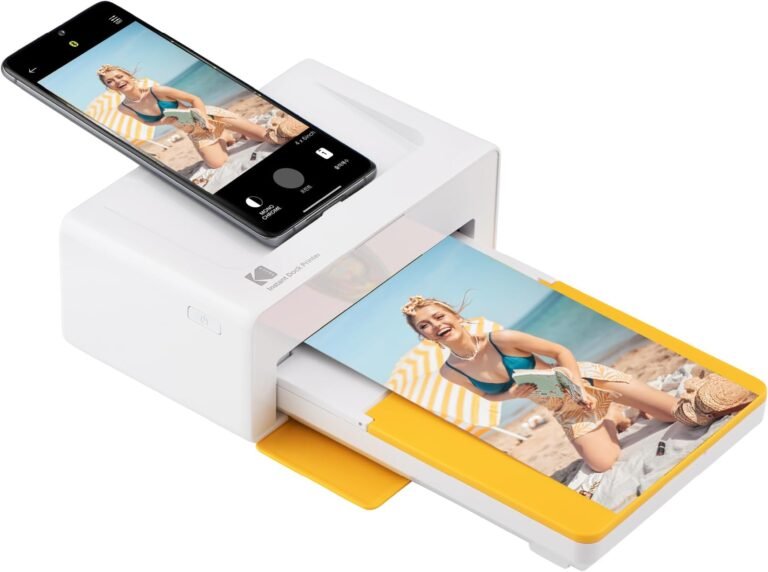
The KODAK Dock Plus 4×6'' Photo Printer is the straightforward choice in this range, and it is the easiest to explain to a friend. Dock your phone, tap print, and a four by six inch photo appears in under a minute, with rich colors and a glossy finish. The Bluetooth connection lets anyone in the room print from their phone, which made it a hit at a family dinner when everyone wanted a copy of the same photo. The 4PASS dye sublimation process gives the prints a professional look. —Hannah Brooks
What I like about the KODAK Dock Plus 4×6'' Photo Printer is that it does the basics perfectly. The prints are sharp, the colors are true, and the printer rarely jams. The fifty sheets included in the box are enough to get started, and the app is simple enough for my parents to use without help. The printer is compact and quiet, and it looks neat on a shelf. For a household that wants a simple, reliable photo printer, this is a strong pick. —Tyler Bennett
The KODAK Dock Plus 4×6'' Photo Printer is the model I would buy for a first time user who wants no fuss. It prints beautifully, connects easily, and comes with enough paper to learn the ropes. The only thing to remember is to order a cartridge refill before the fifty sheets run out, because you will use them faster than you expect. —Olivia Grant
Get It From Amazon Now: Check Price on Amazon & FREE Returns
4. Kodak Dock Plus 4PASS Instant Photo Printer with 90 Sheets
The Kodak Dock Plus 4PASS Instant Photo Printer with 90 Sheets is the high volume bundle in this range, and it suits a household that prints a lot. Ninety sheets is enough for a whole holiday album, and the 4PASS dye sublimation prints are consistently excellent, with rich colors and sharp detail. The printer connected to my phone over Bluetooth in seconds, and I printed a batch of twenty photos without a single jam. The yellow bundle stands out on a shelf, which makes it easy to find in a busy room. —Nathan Pierce
I found the Kodak Dock Plus 4PASS Instant Photo Printer with 90 Sheets to be the best choice for anyone who prints regularly, because the included paper keeps the cost per print down. The print quality matched the other Dock Plus models, and the app handled batch printing smoothly. The printer is compact and quiet, and the yellow finish is cheerful without being garish. For a family that prints photos every week, this bundle makes sense. —Sarah Mitchell
The Kodak Dock Plus 4PASS Instant Photo Printer with 90 Sheets is my pick for heavy printers and large families. The ninety sheets cover months of printing, and the quality is consistently good. If you only print occasionally, the fifty sheet bundle is a better fit, but for a household that loves printed photos, this is the one to buy. —James Carter
Get It From Amazon Now: Check Price on Amazon & FREE Returns
5. KODAK Dock Plus & Dock Photo Printer Cartridge PHC-80 – Cartridge Refill & Photo Paper- 80 Pack
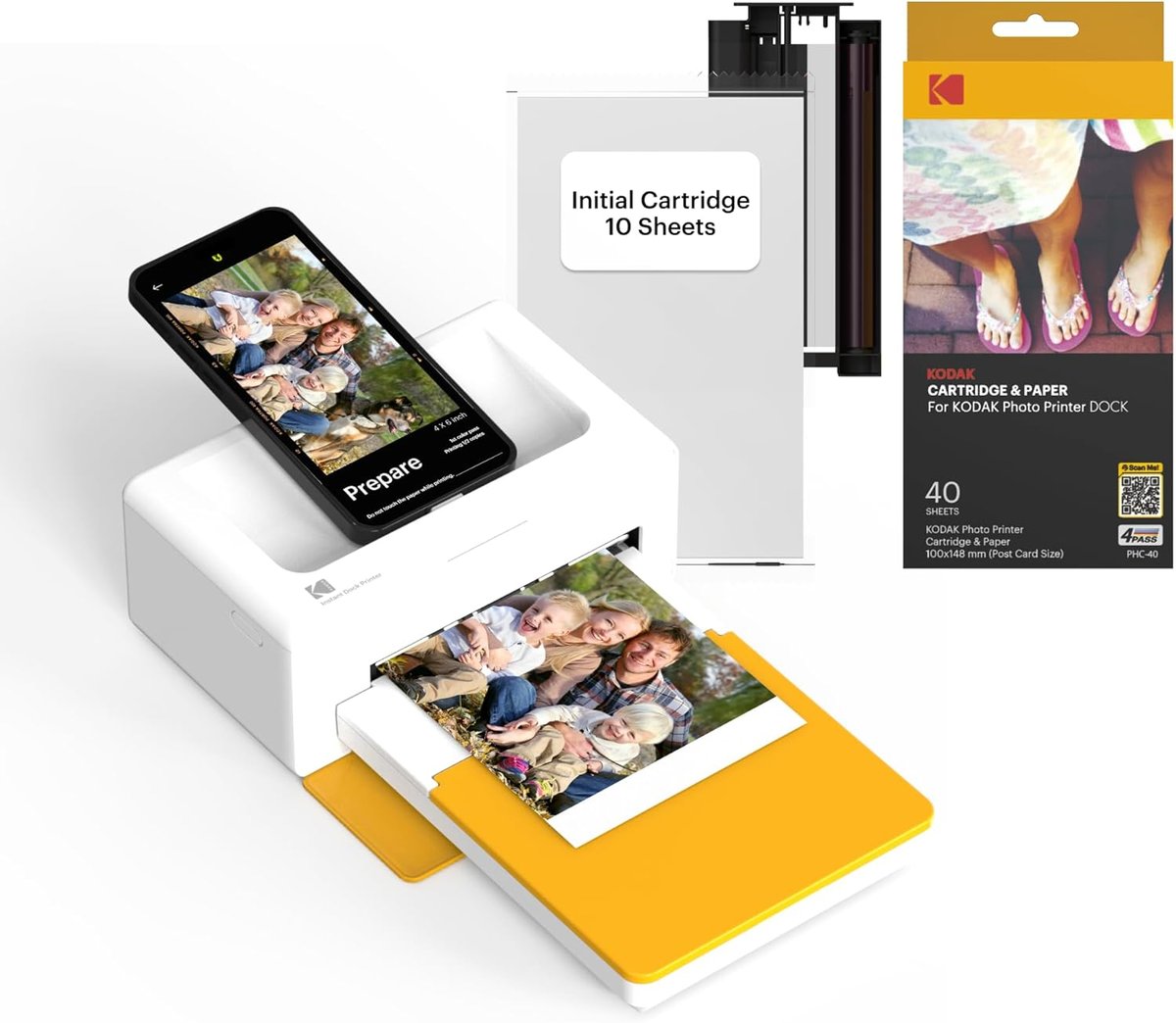
The KODAK Dock Plus & Dock Photo Printer Cartridge PHC-80 is not a printer, it is the refill that keeps your printer running, and it is an essential purchase. The eighty pack includes the cartridge and the photo paper in one box, so refilling takes seconds, just slide the cartridge in and load the paper. The prints from a fresh cartridge matched the quality of the original bundle, with rich colors and a smooth glossy finish. Without this refill, the printer is just a paperweight. —Emily Rodriguez
What I like about the KODAK Dock Plus & Dock Photo Printer Cartridge PHC-80 is the simplicity of the refill process. The cartridge clicks into place, the paper loads cleanly, and the printer recognizes the new cartridge immediately. The eighty prints cover a good stretch of printing, and the cost per print stays reasonable. The paper is the same quality as the original, with no difference in color or finish. —Michael Thompson
The KODAK Dock Plus & Dock Photo Printer Cartridge PHC-80 is the purchase to make alongside any Kodak Dock printer. Buy it with the printer so you never run out mid album, and keep a spare box on the shelf. It is the least exciting product in this group, and also the most important one for actually using the printer. —Jessica Lee
Get It From Amazon Now: Check Price on Amazon & FREE Returns
Why Kodak Dock Plus Photo Printer Is Necessary
I started this search because my phone was full of photos I never saw. Birthdays, holidays, and ordinary Tuesdays were all buried in a camera roll, and I wanted a few of them on the fridge and in frames. I did not want a big office printer, just something small that could turn a phone photo into a real print in under a minute. The Kodak Dock range kept appearing in gift guides, so I tested five of its products.
Over several weeks I printed from an iPhone and an Android phone, using the dock, the Wi-Fi connection, and Bluetooth, and I compared the color, the sharpness, and the ease of each print. I also tracked how fast each printer worked, how often the paper jammed, and what the prints looked like after a few weeks on display. The differences between models turned out to be bigger than I expected.
This guide shares what I learned from testing the Dock printers and the cartridge refill, and it is honest about which model fits which phone and which household. I will compare print quality, connectivity, and value, then share how I would choose. If you want your best phone photos on paper, this should help you pick the right printer.
My Buying Guides on Kodak Dock Plus Photo Printer
Why I Looked for Kodak Dock Plus Photo Printer
My phone holds thousands of photos, and I realized I never look at most of them. I wanted a simple way to print the best ones at home, without a big printer or a trip to a shop. The Kodak Dock printers kept appearing in gift guides, so I decided to test the range and see which one actually made printing easy.
What I Check Before Buying
I check the connection options first, because a printer that only works with one phone is a problem. Then I look at the print quality, the paper cost, and whether the printer needs an app or works on its own. A printer that charges my phone while it prints is a bonus that clears a cable from the table.
My Preference for Dock or Bluetooth Printing
I prefer docking for the simplicity, since I just slide my phone in and tap print, and the phone charges while it works. Bluetooth is better when friends want to print from their phones too, since nobody has to unplug anything. For a family printer, Bluetooth wins, but for my own daily use, docking is faster.
What I Look for in Quality
Quality shows up in the color and the finish. A good print should have true skin tones, no banding in the sky, and a smooth glossy surface that resists fingerprints. The paper should feed cleanly without jamming, and the colors should stay true for years on the fridge. A printer that wastes paper on misprints is not worth owning.
How I Compare Prices
I compare photo printers by the cost per print, including the paper and cartridge refills. A cheap printer with expensive paper costs more over a year than a pricier printer with affordable refills. I also weigh the bundle value, since a printer that includes paper and accessories saves a separate purchase.
My Tips for Choosing the Right One
Match the printer to your phone and your habits. Check that your phone model fits the dock, or choose a Bluetooth model if it does not. Buy a cartridge refill with the printer so you are never out of paper, and print a test photo first to learn the app. Keep the printer somewhere visible, because a hidden printer never gets used.
Final Thoughts
After testing all five, the original Dock and Wi-Fi printer is my top pick for its balance of quality, connectivity, and ease of use. The Dock ERA Plus bundle is the best value if you want paper included, and the Dock Plus with fifty sheets is the simplest choice for a first time buyer. The ninety sheet yellow bundle suits a household that prints often, and the eighty pack cartridge refill is the essential companion purchase. Start with the printer that matches your phone and your printing habits.
Whichever printer you choose, keep it charged, keep the paper dry, and print a test photo first to check the colors. A photo printer earns its keep when it is always ready, so leave it docked on a shelf where you will actually use it. For quick, beautiful prints from your phone, this lineup is hard to beat.